Competition Rules

Rules

Review each event format, equipment, arena layout, procedures, and scoring standards in one place.

01

Overview

Review the competition outline and eligibility requirements for Move & Touch Technic.

RULE 02

Move & Touch Technic

This event involves using a Technic Robot to operate infrared direction indicators and earning points by pressing the final mission completion button first.
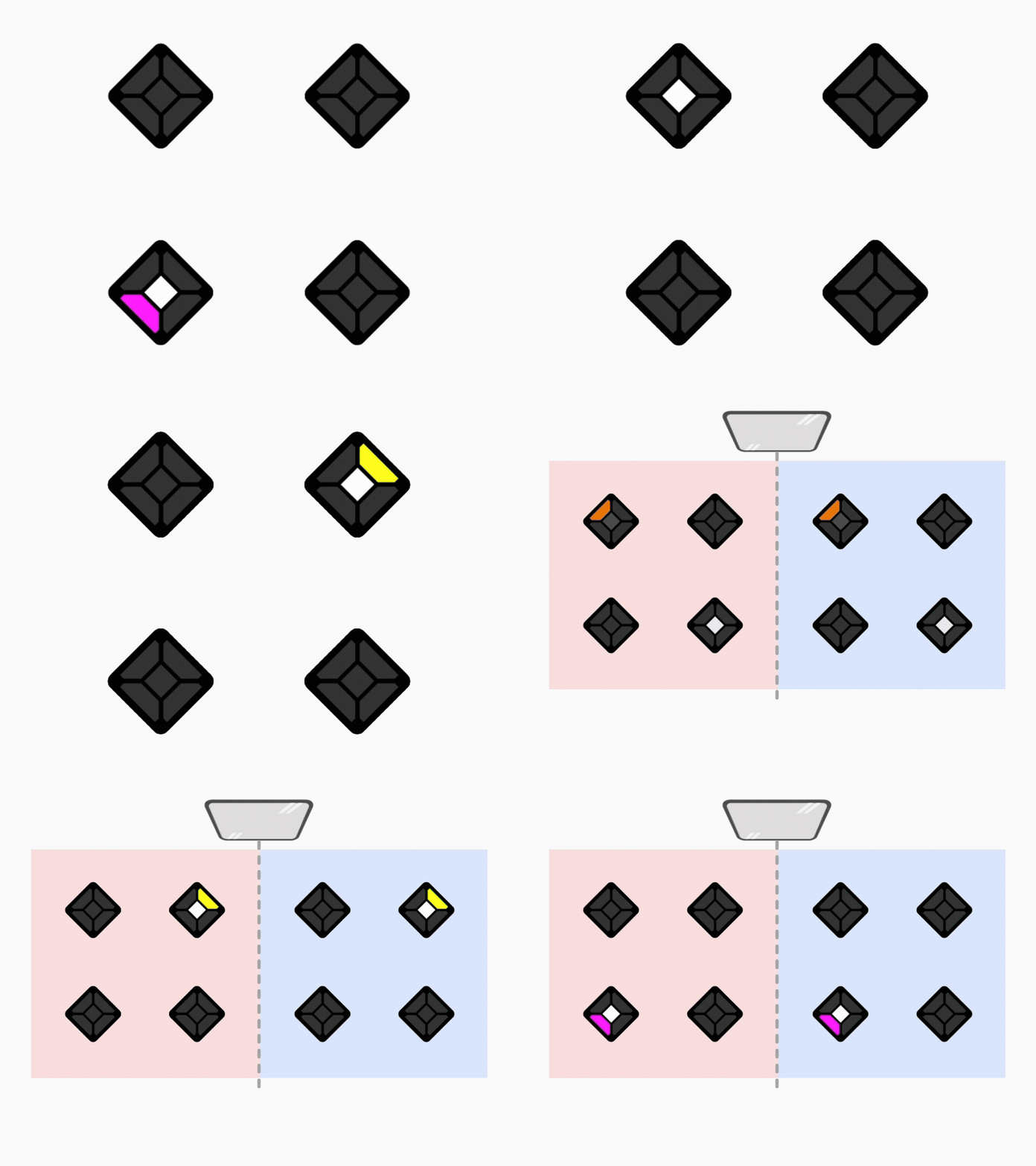
Mission Infrared Mission
Accuracy Accuracy
Record Completion time
Operation Sportsmanship
Move & Touch Technic hero image
02

Components

Review the pre-match requirements, robot construction rules, battery regulations, wheel requirements, and component limits.

1

Pre-Match Preparation

Robots and their control programs must be fully prepared in advance before entering the competition venue. Participants must be ready to begin the match immediately.

2

Robot Construction

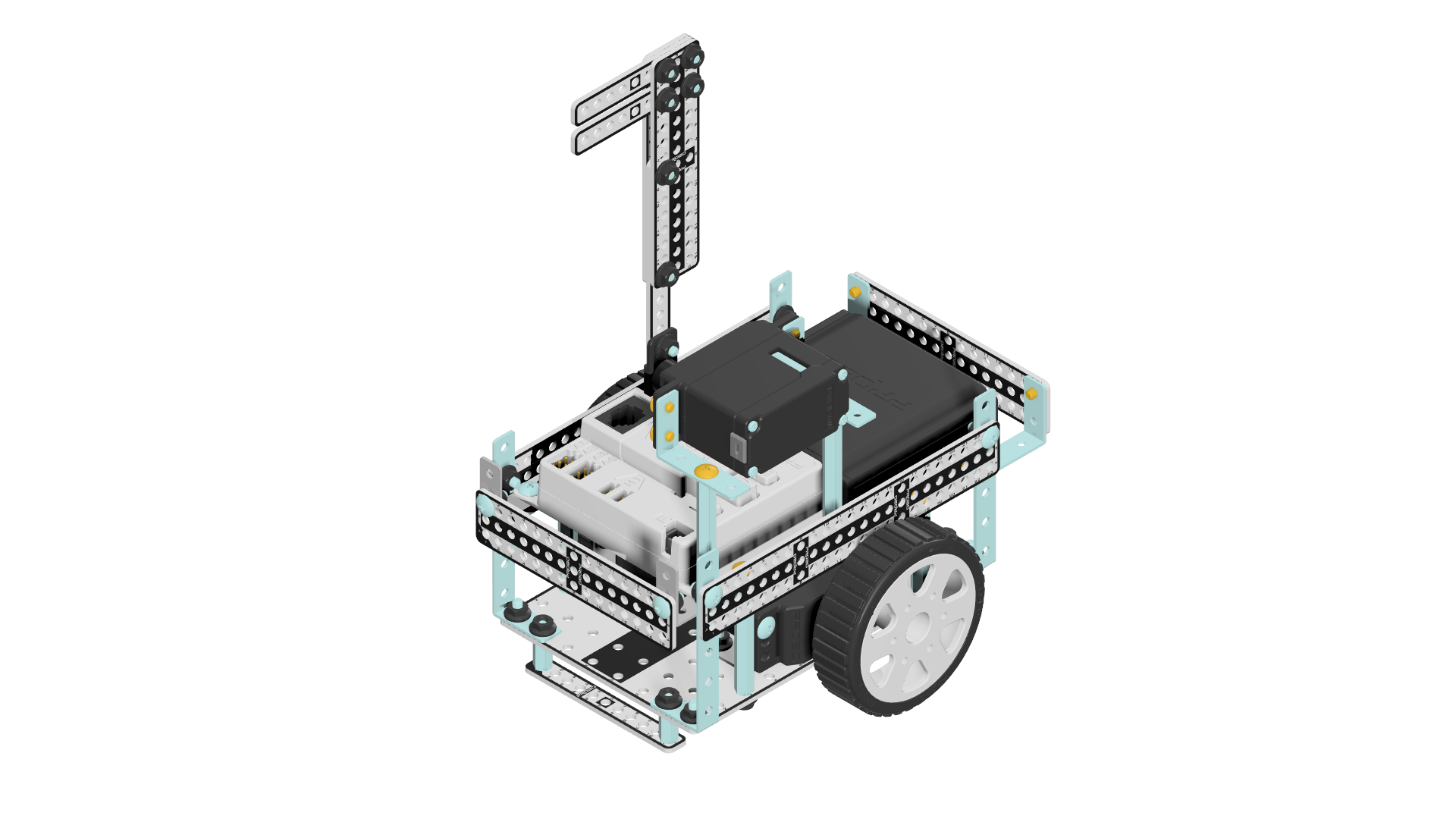
Robots must be built primarily using Probo TECHNIC components.

3

Battery Regulations

Only AA battery cases with non-rechargeable batteries are permitted. Rechargeable batteries are strictly prohibited. All batteries will be inspected before every match. Any battery that does not comply with the regulations will result in disqualification. Participants are encouraged to design their robots so that battery inspection can be performed easily.

β€» Permitted Batteries:
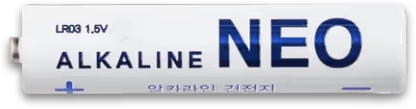
Alkaline NEO AA batteries (white, maximum 1.5V)
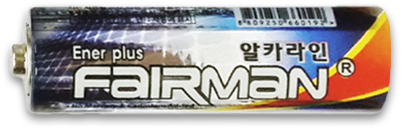
Alkaline FairMan AA batteries
Note: Only alkaline AA batteries with a maximum voltage of 1.5V are permitted.
Alkaline NEO (AA)
Alkaline NEO (AA)
Alkaline FairMan (AA)
4

Wheel Regulations

Only the Probo TECHNIC Standard Wheels may be used when building the robot. The use of any other type of wheel is prohibited.

β€» Not allowed: Mecanum Wheels, Off-Road Wheels, Monster Wheels
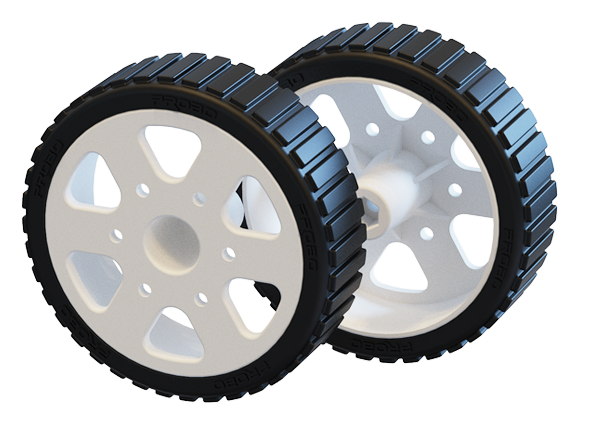
Wheel Regulations
Standard Wheels
5

Quantity Limits

The number of motors, wheels, control boards, and other components is limited as follows.

01

Drive motor choice

  • Use either Probo motor R-300 or R-120. Do not mix both types.
R-300 x2
Probo motor R-300 x2
R-120 x2
Probo motor R-120 x2
02

Other part limits

  • Check the extra motor, CPU, battery, and regular wheel quantities.
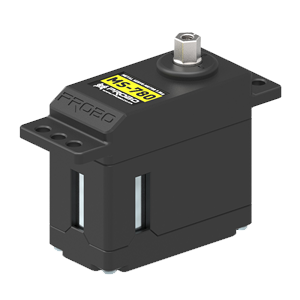
S-780 x1
Probo motor S-780 x1
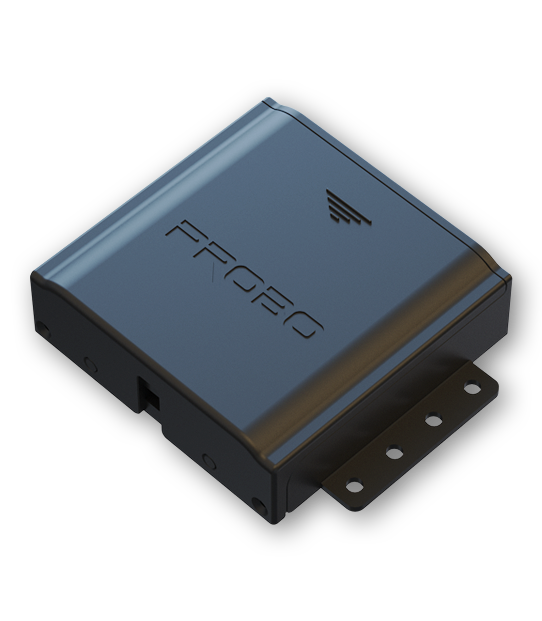
CPU board x1
Probo CPU CPU board x1
Battery case x1
Probo battery Battery case x1
Wheel + tire x2
Probo wheel Wheel + tire x2
03

Robot Dimension

Review the robot dimensions, measurement guidelines, and allowable transformation range during the match.
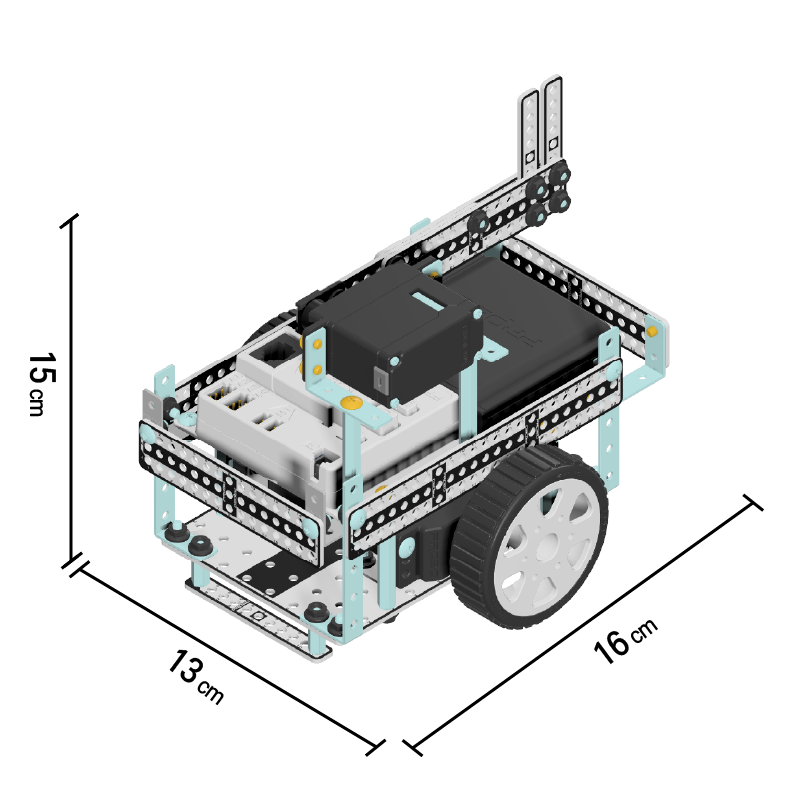

Robot dimensions

  • 130 mm (L) x 160 mm (W) x 150 mm (H)

Measurement & Allowed Transformations During Match

  • Measurements are taken with the power turned off, both wheels touching the floor, and the press plate folded.
  • During the match, only robot transformations controlled via the RF controller are permitted.
Move & Touch Technic robot size image
Flow

This firmware runs only on Flow. It does not run on GULC.

Open Flow
04

Arena

Review the arena specifications and possible on-site variations.

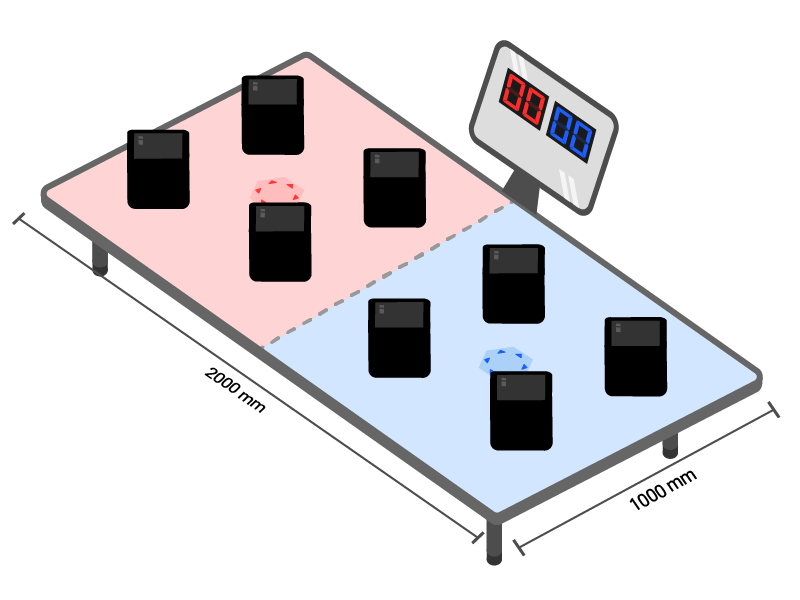
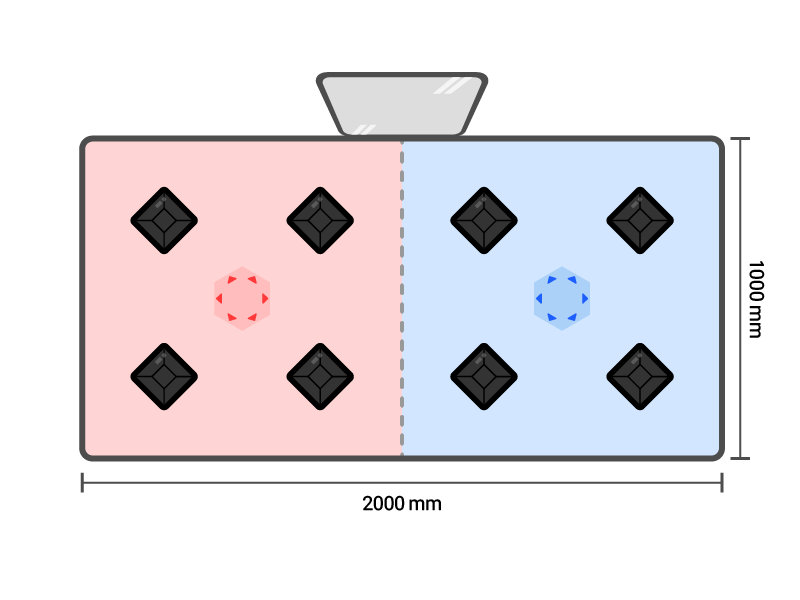
Arena Specifications

  • 200 cm (W) x 100 cm (L) x 35 cm (H) (PET material)

On-site Variation Notice

  • Depending on the venue, the field may have slight slopes.
  • Each field may have a tolerance of approximately 1-2 cm.
  • Installation conditions and operational rules may be adjusted depending on the event setup or venue conditions.

Robot Placement Guideline

  • Before the match begins, robots may be placed freely within the starting area Move & Touch Technic red start line iconMove & Touch Technic blue start line icon , facing any direction.
Move & Touch Technic arena front view
Move & Touch Technic arena top view
05

Battle Switch

Review the sensor detection and rematch criteria.
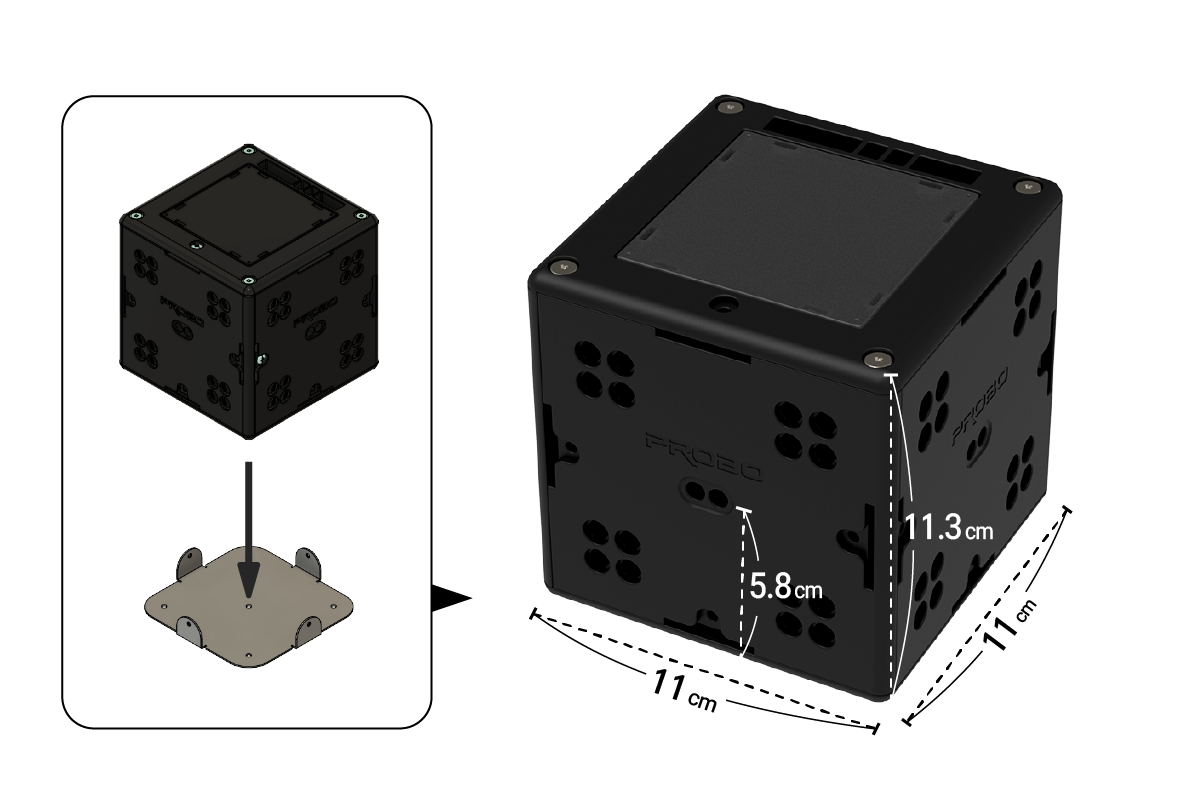
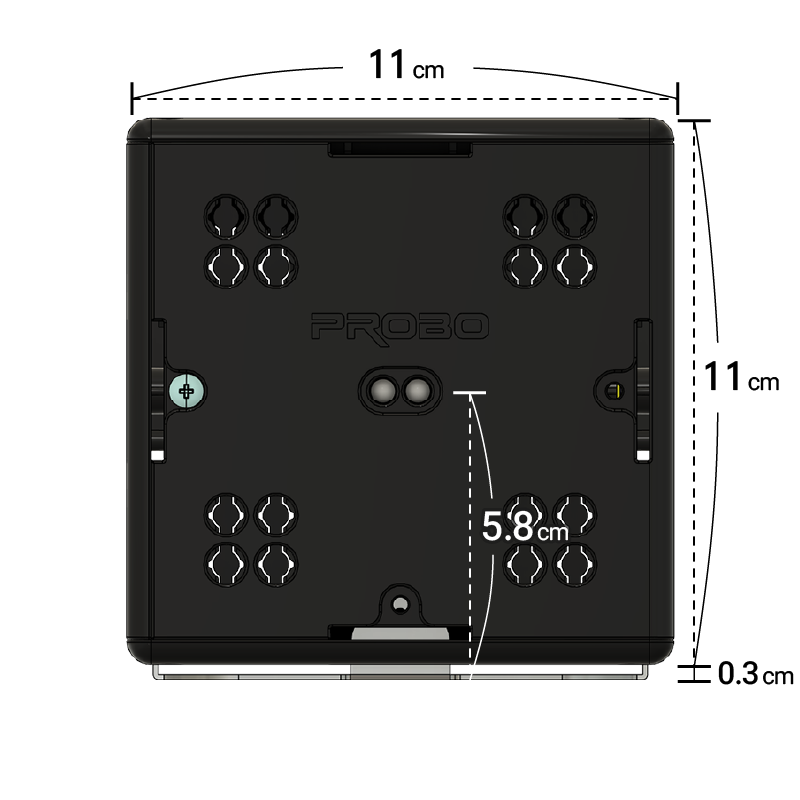
Battle Switch Dimensions
Battle Switch Dimensions 11 cm Γ— 11 cm Γ— 11 cm (cube)
Bracket assembly standard
  • Height from the bottom to the infrared sensor (including the bracket): 5.8 cm
  • Overall height (including the bracket): 11.3 cm
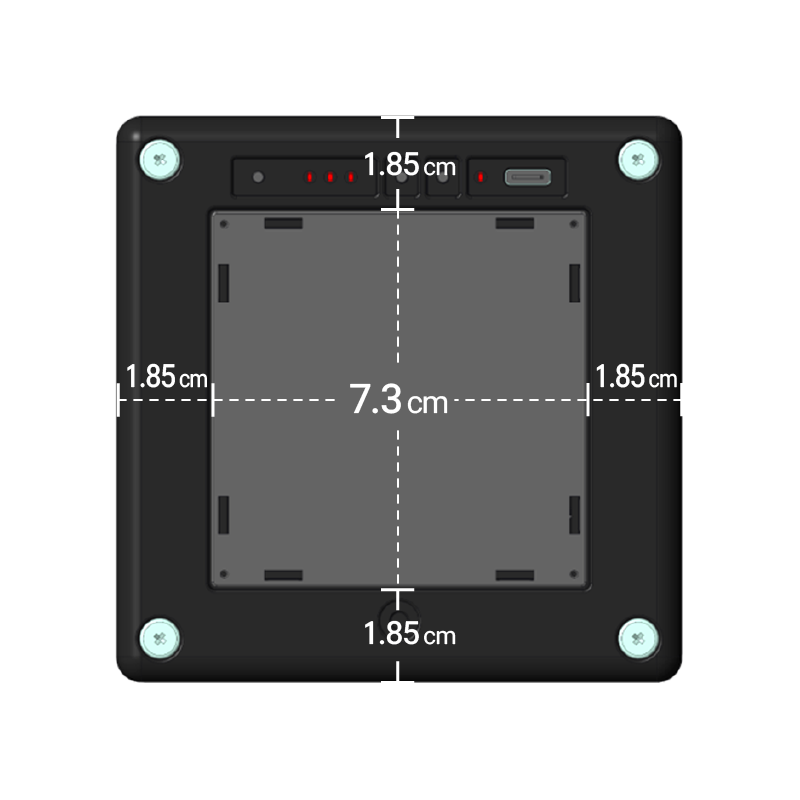
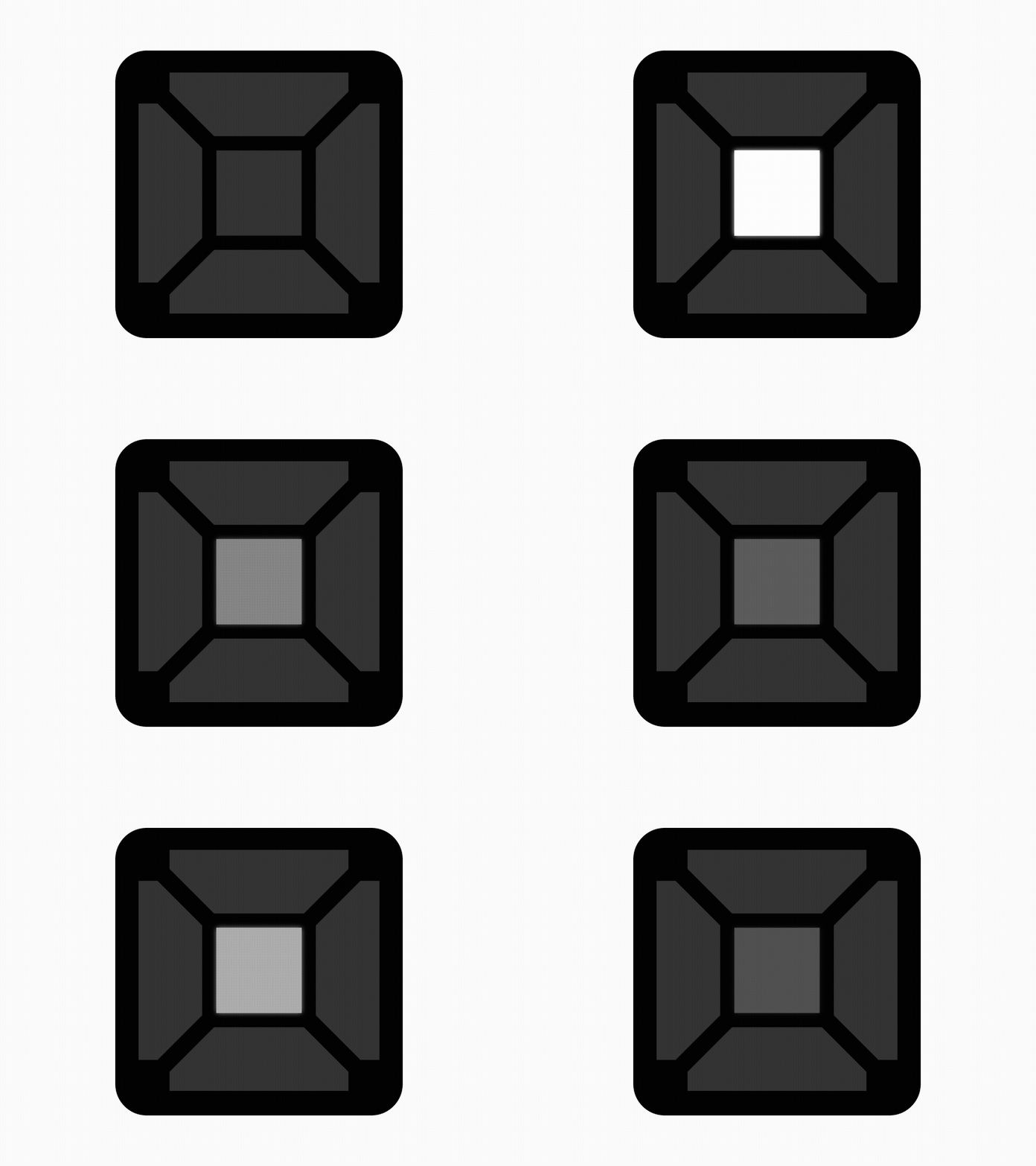
Button Dimensions
Button Dimensions
  • Button diameter: 7.3 cm
  • Border width: 1.85 cm

Sensor Detection and Rematch Criteria

  • The infrared sensor is located at the center of each side of the Battle Switch.
  • The robot frame must be assembled to align with the height of the infrared sensor.
  • Battle switch faults, broadcast device errors, and natural disasters qualify for a rematch.
  • Robot defects or lost parts during a match do not qualify for a rematch.
06

How to Play

Review the infrared indicator, completion indicator, and scoring criteria step by step.
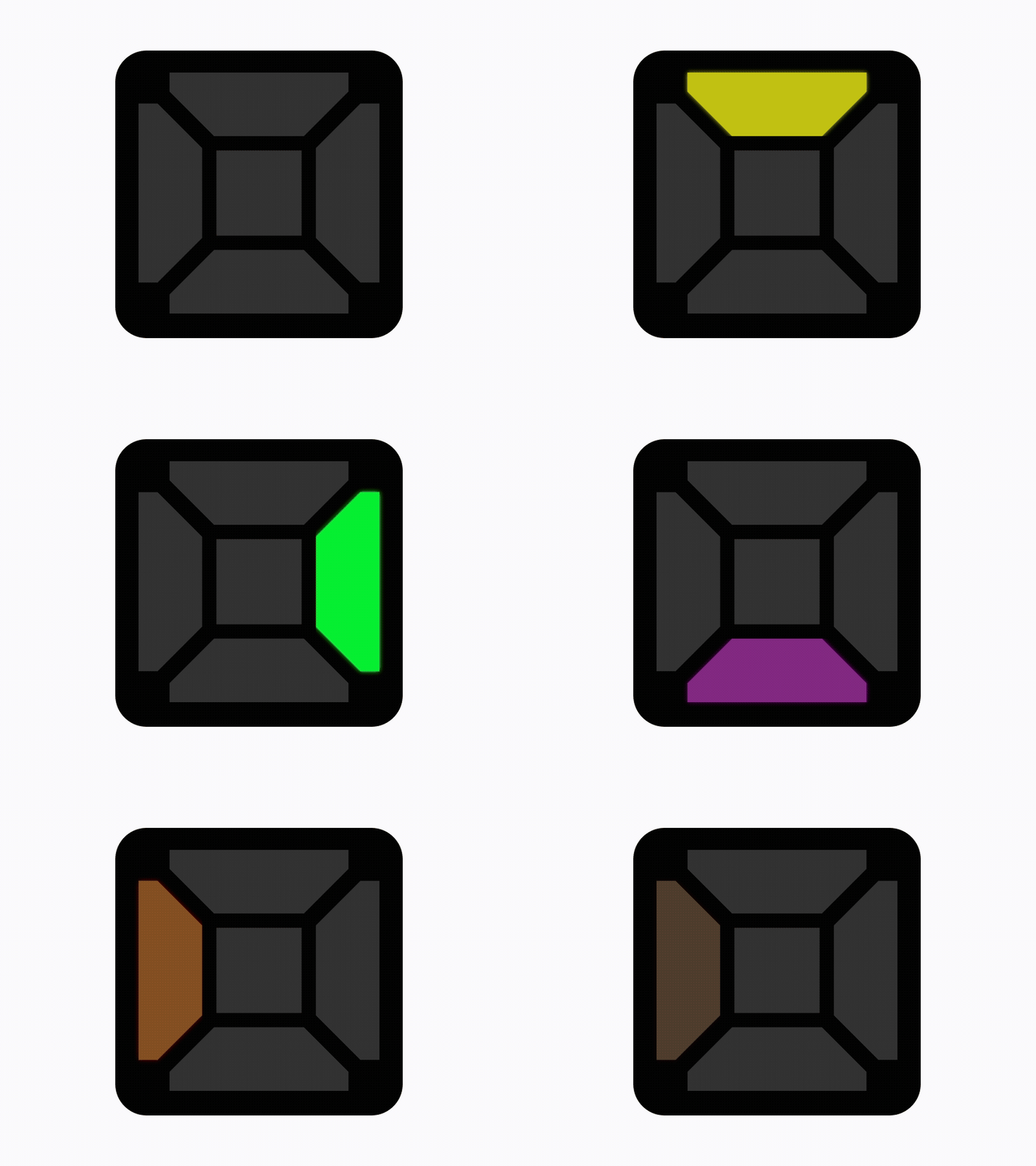
Summary

  • Complete the infrared indicator mission, then press the final completion indicator.
  • Control the TECHNIC Robot to detect the infrared sensor located at the center of any side of the Battle Switch. The first player to press the Battle Switch button corresponding to the final mission is awarded the point.
1

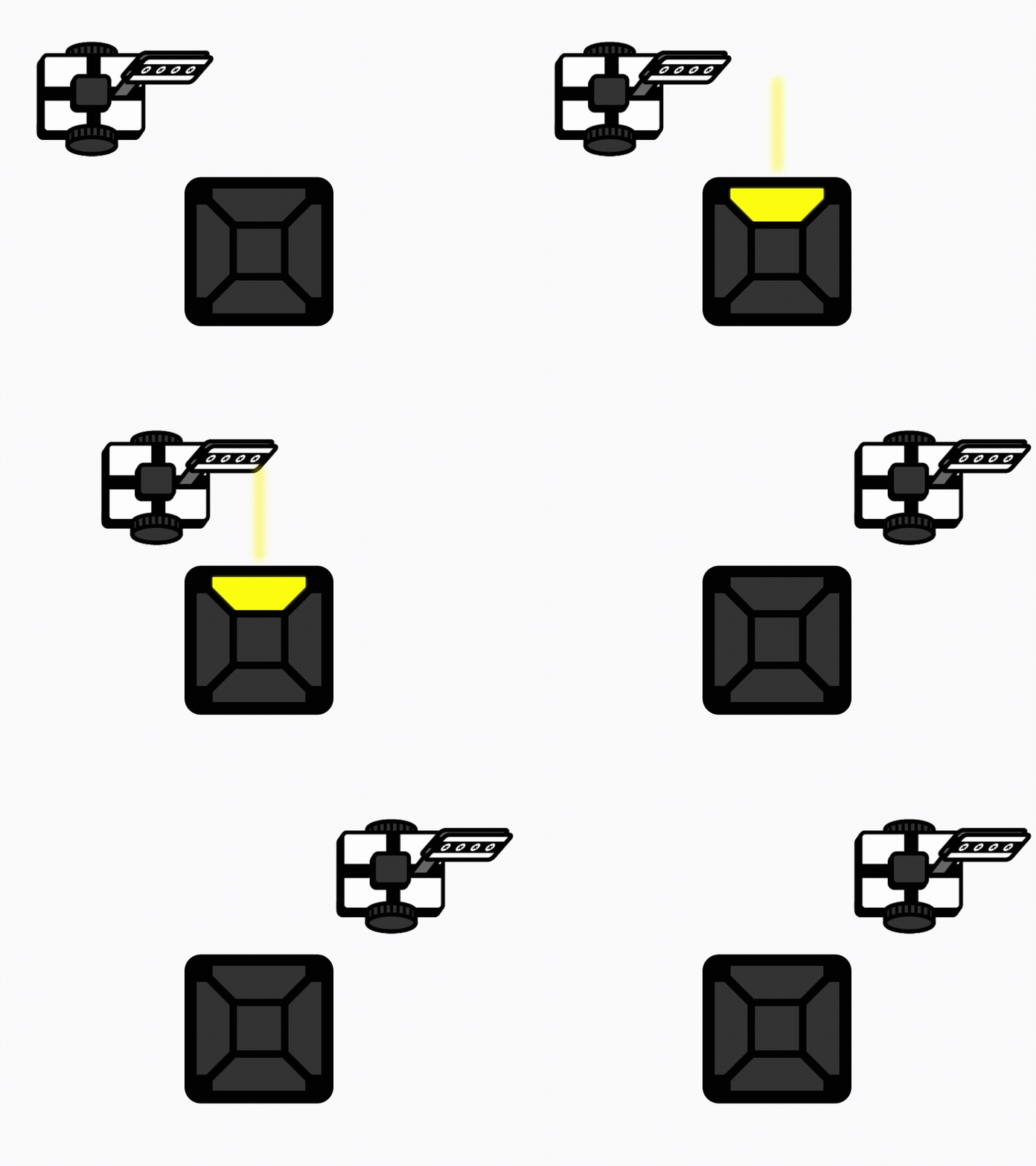
Infrared Direction Indicator

  • When the match starts, LEDs showing the infrared direction appear on the battle switch button.
  • This is called the infrared direction indicator.
Move & Touch Technic infrared direction light example
2

Mission Completion Indicator

  • An LED that must be pressed at the end of each mission also appears.
  • This is called the mission completion indicator.
Move & Touch Technic mission completion light example
3

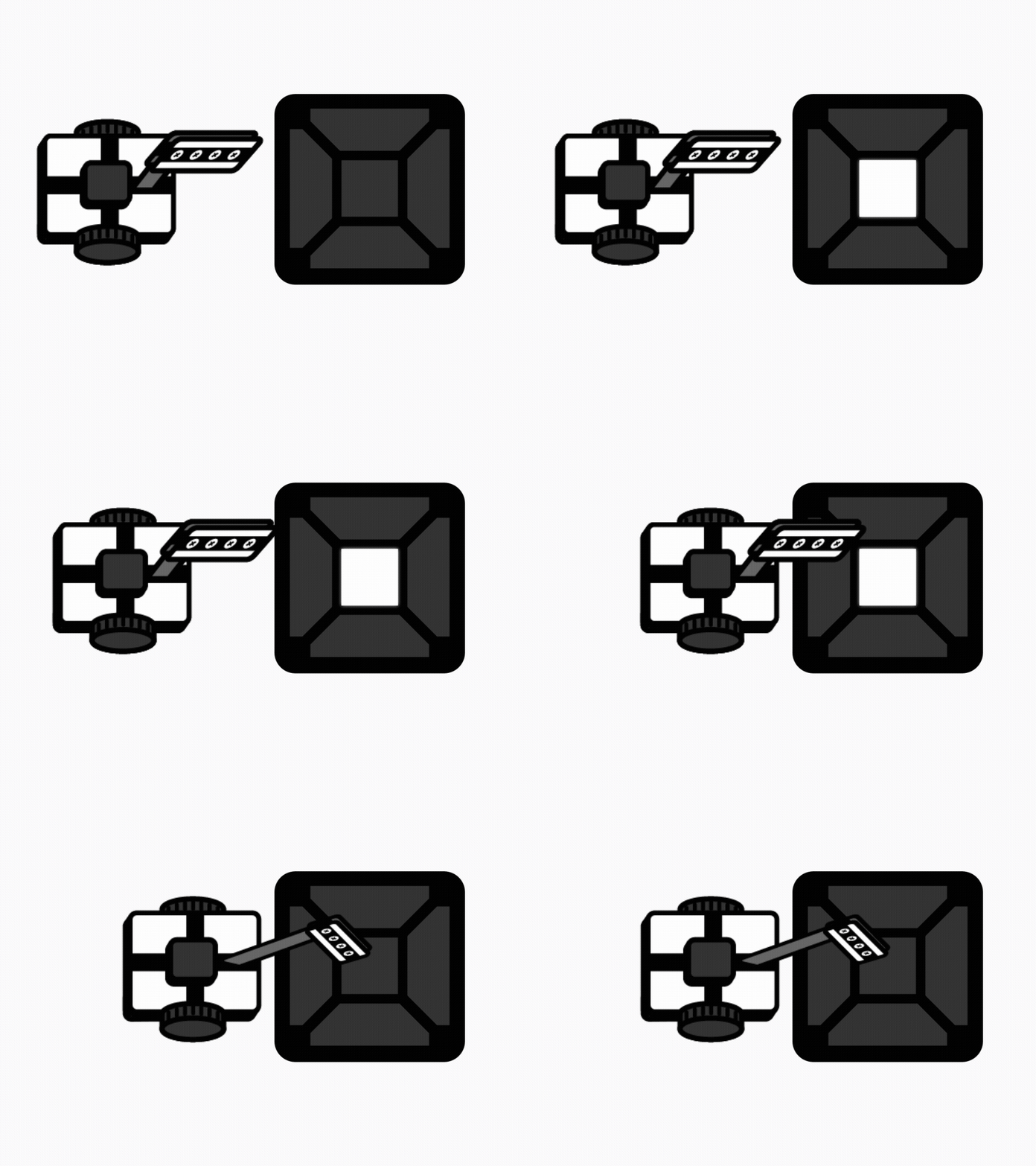
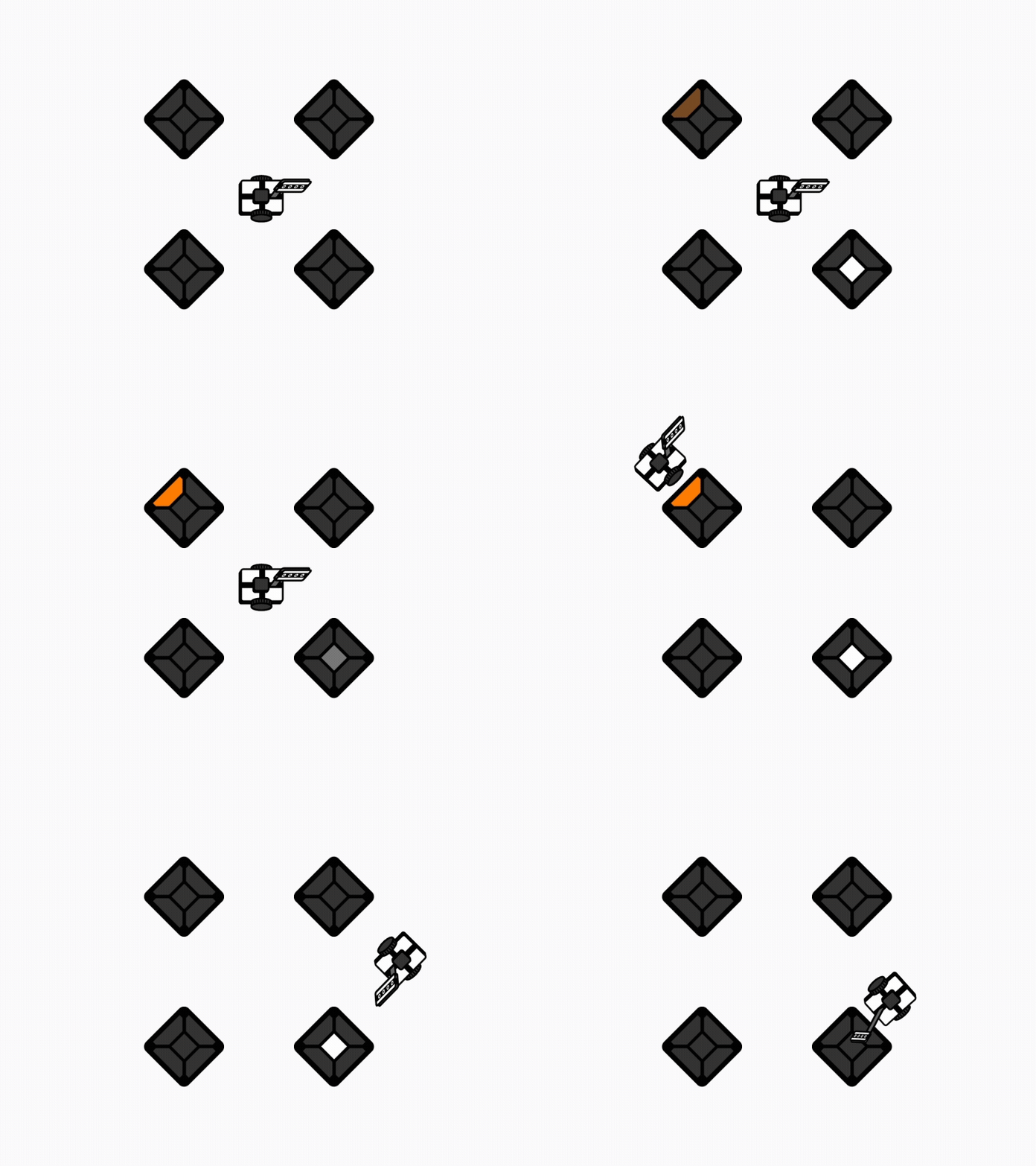
Sensor Detection

  • Move the robot toward the active infrared direction indicator.
  • When the robot is detected by the infrared sensor on that side, the infrared direction indicator turns off.
Move & Touch Technic sensor detection example
4

Point Scoring

  • Move the robot to turn off the infrared direction lights.
  • The player who presses the completion indicator first when all infrared direction indicators are turned off is awarded the point.
Move & Touch Technic point scoring example
5

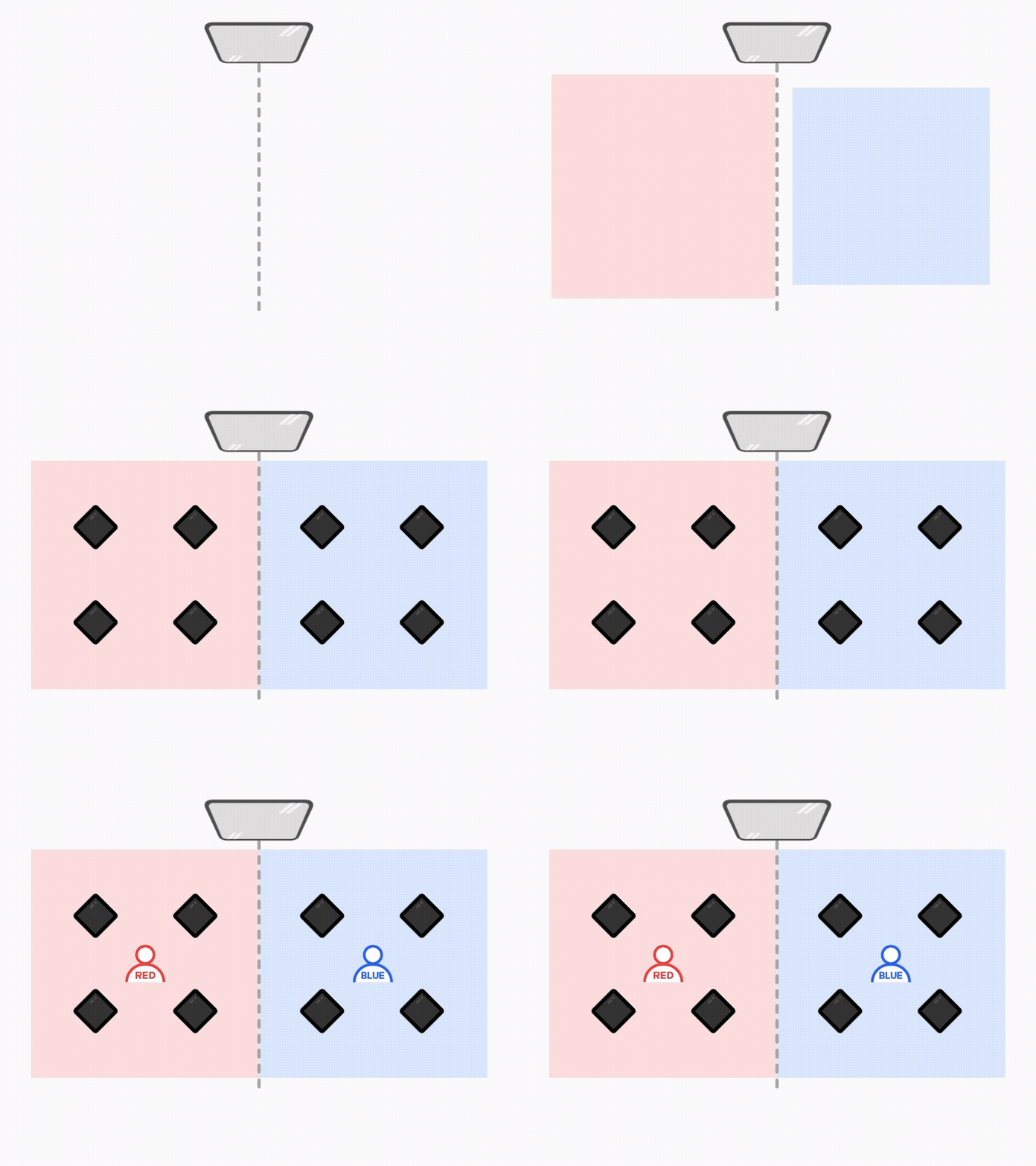
Starting Position

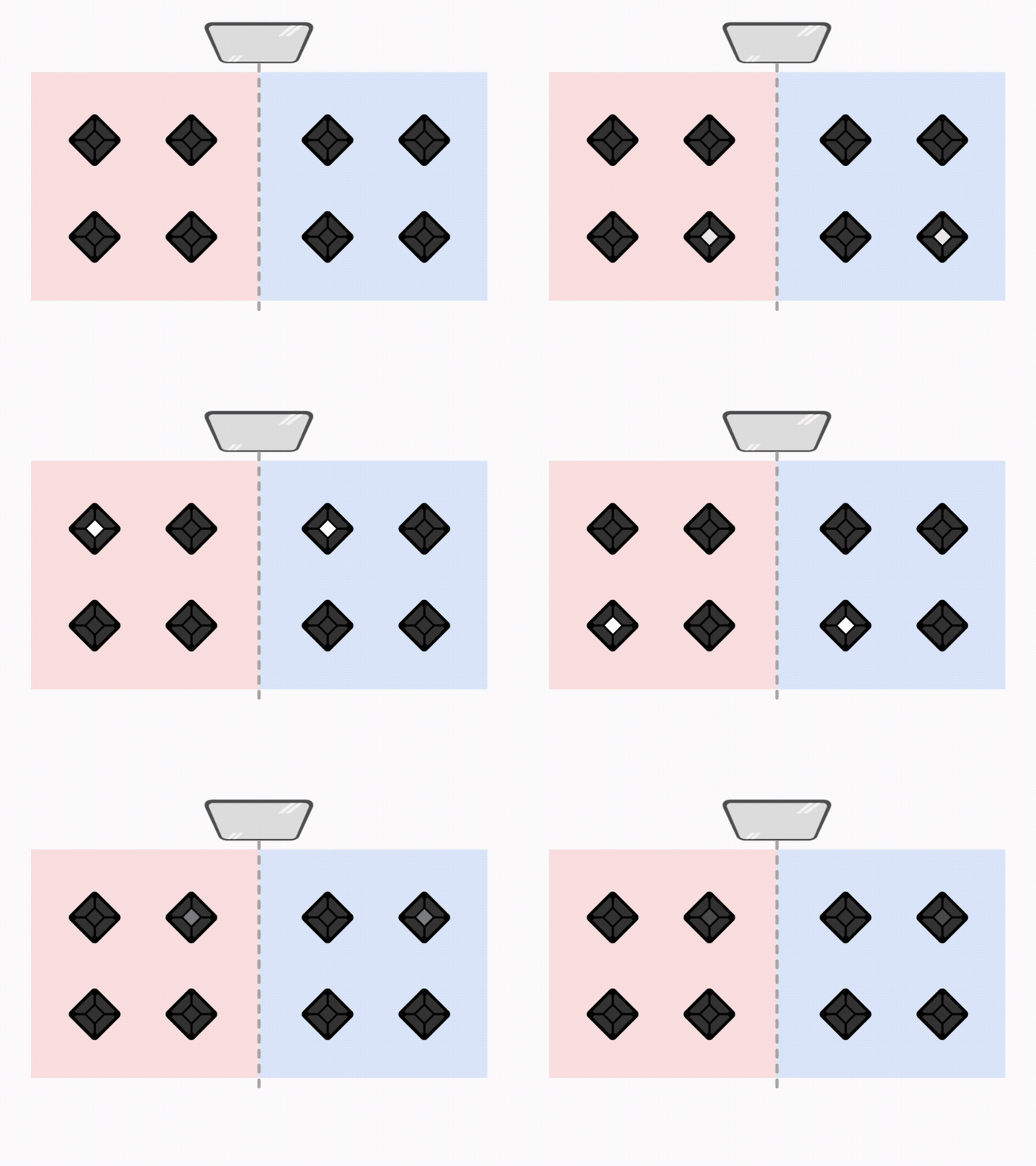
  • Two players compete in an arena divided into a Red Zone and a Blue Zone.
  • Before the match starts, each player places their robot at the center of their starting area.
Move & Touch Technic starting position example
6

Random Mission Presentation

  • Each mission is presented with 0 to 1 Infrared Direction Indicator(s).
  • A combination of the Infrared Direction Indicator(s) and one Completion Indicator is presented.
  • The mission is the same for both teams, and only the color of the mission completion light differs.
Move & Touch Technic random mission example
7

Mission Sequence

  • Players must complete the Infrared Direction Indicator(s) first and press the one Completion Indicator at the end.
  • The order of turning off the Infrared Direction Indicators does not matter.
  • The Completion Indicator is presented only once for each mission.
Move & Touch Technic execution order example
8

Single Mission

  • A Single Mission consists of only one Completion Indicator.
  • The player who presses the Battle Switch button at the indicated location first earns the point.
  • The LED color is displayed as white regardless of the team.
Move & Touch Technic single-type mission example
9

When Behind by 3 or More Points

  • A player who is behind by 3 or more points earns 2 points when they score the next point.
10

Match End

  • Each match is played for 60 seconds.
  • If the score is tied after 60 seconds, the match continues until the winner is determined. The first player to earn 1 point wins.
11

Match video

07

Important Notes

Review the infrared sensor detection requirements and robot frame assembly guidelines.

Match Guidelines

Warning
  • Battle Switch Input Press the Battle Switch from directly above. Pressing it at an angle may prevent the input from being registered correctly.
  • Robot Recovery β‘  If a robot overturns, falls, or becomes impossible to control by remote operation, the player must recover or repair the robot by hand and resume the match from its original position.
    β‘‘ If the robots become entangled and cannot move, the referee may reposition them at the lower center of each team's zone.
    β€» The match timer continues to run during all recovery procedures.
  • Warnings / Disqualification Touching the robot by hand for any reason other than a robot malfunction will result in a warning for the first offense and disqualification for the second offense.

Robot Precautions

Robot
  • Sensor Distance If the robot is too far from the infrared sensor, the sensor may not be detected properly.

Detailed Information

Sensor Height Assembly Guidelines

To ensure that the robot is reliably detected by the Battle Switch's infrared sensors, assemble the robot frame on all four sides so that it is aligned with the height of the infrared sensors.
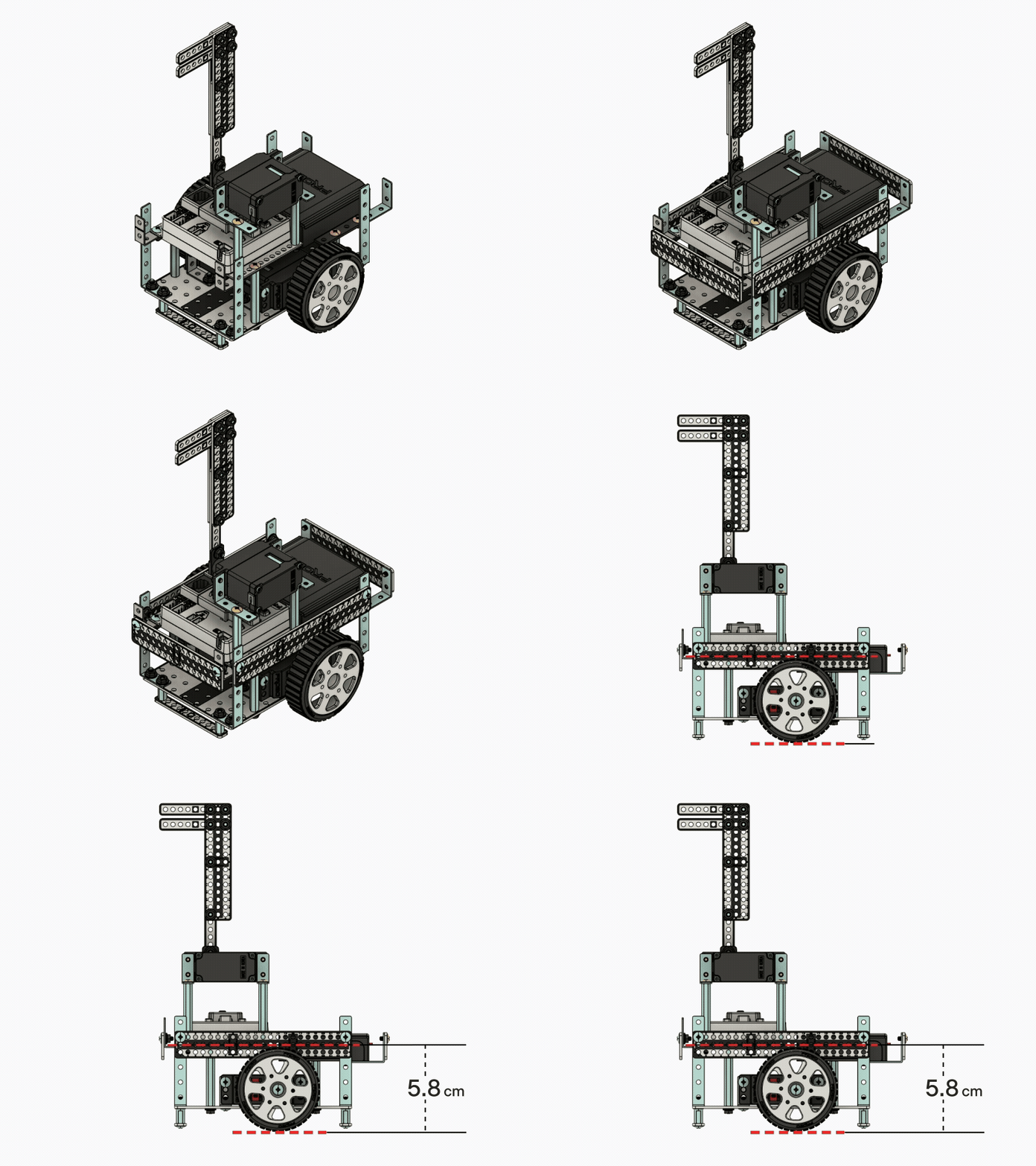
Sensor Height Assembly Guidelines
08

Competition Format

Review the competition format and award distribution based on the number of participants.

12-Player Competition

Review the competition format and award distribution for a 12-player competition.
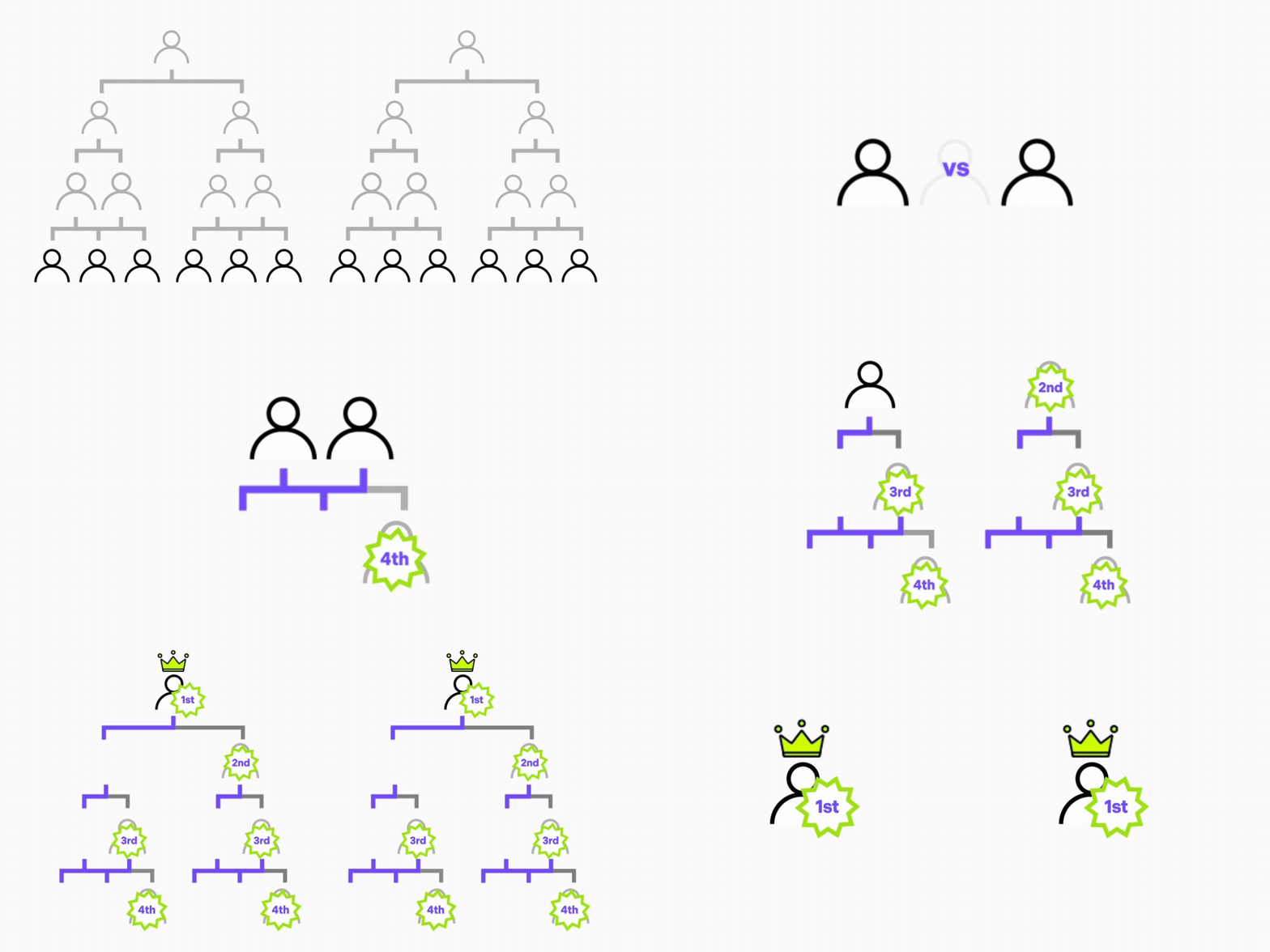
12-player format animation
  • A: Preliminary League Stage β†’ The 4 eliminated players receive the Encouragement Award.
  • B: Semifinal Tournament β†’ The 4 eliminated players receive the Bronze Award.
  • C: Final Tournament β†’ The 2 eliminated players receive the Silver Award, and the 2 winners receive the Gold Award.

18-Player Competition

Review the competition format and award distribution for an 18-player competition.
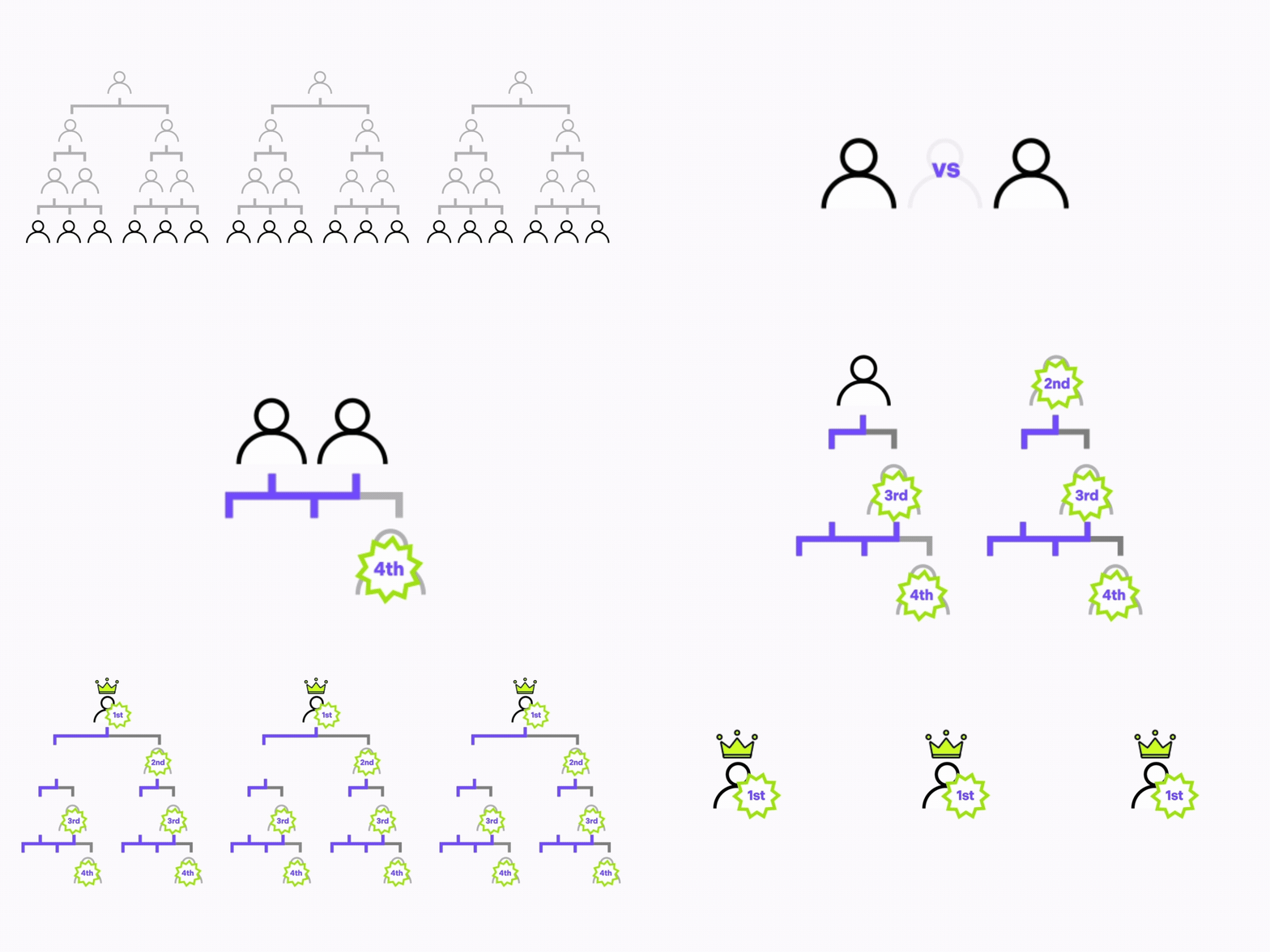
18-player format animation
  • A: Preliminary League Stage β†’ The 6 eliminated players receive the Encouragement Award.
  • B: Semifinal Tournament β†’ The 6 eliminated players receive the Bronze Award.
  • C: Final Tournament β†’ The 3 eliminated players receive the Silver Award, and the 3 winners receive the Gold Award.

24-Player Competition

Review the competition format and award distribution for a 24-player competition.

24-player format animation
  • A: Preliminary League Stage β†’ The 8 eliminated players receive the Special Award.
  • B: Round of 16 Tournament β†’ The 8 eliminated players receive the Encouragement Award.
  • C: Quarterfinal Tournament β†’ The 4 eliminated players receive the Bronze Award.
  • D: Final Tournament β†’ The 2 eliminated players receive the Silver Award, and the 2 winners receive the Gold Award.

36-Player Competition

Review the competition format and award distribution for a 36-player competition.
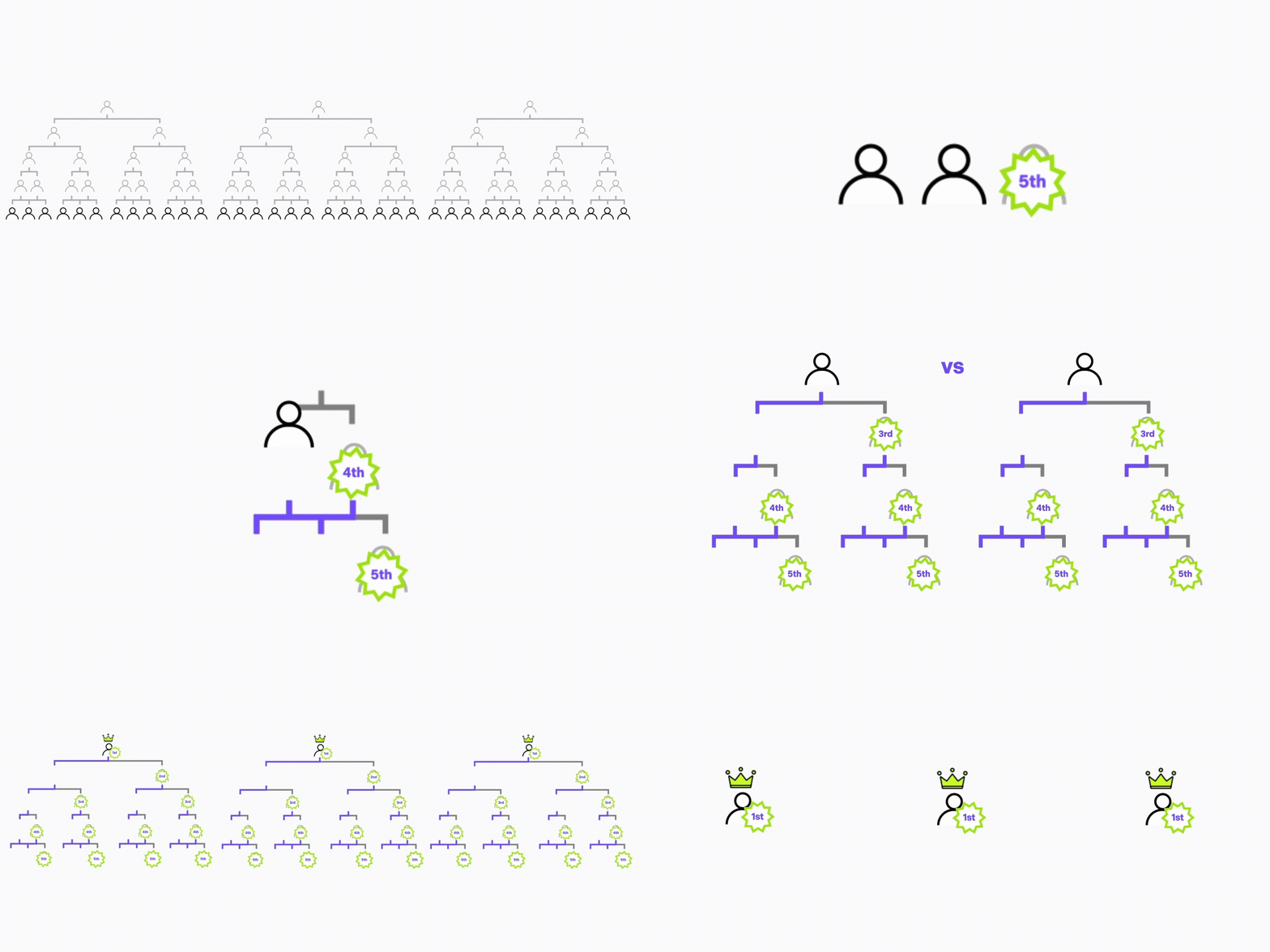
36-player format animation
  • A: Preliminary League Stage β†’ The 12 eliminated players receive the Special Award.
  • B: Round of 24 Tournament β†’ The 12 eliminated players receive the Encouragement Award.
  • C: Round of 12 Tournament β†’ The 6 eliminated players receive the Bronze Award.
  • D: Final Tournament β†’ The 3 eliminated players receive the Silver Award, and the 3 winners receive the Gold Award.